Copying Area Details
You can copy details for one or all areas. This functionality allows you to easily copy details like the area name, catalog ID, and size to the clipboard.
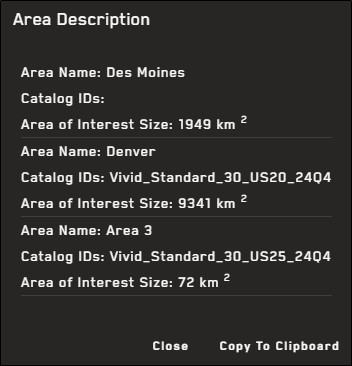
The Area Description dialog allows you to easily copy one or more area's details for use in another program.
Copying Details for a Single Area
-
In the Imagery panel, next to the area you want to copy, select the menu
 , then select Copy Area Details. The Area Description dialog opens.
 -
In the Area Description dialog, select Copy to Clipboard.
-
Paste the
Copying Details for All Areas
-
In the Imagery panel, select Export All Areas
 , then select Copy All Area Details. The Area Description dialog opens.
 -
In the Area Description dialog, select Copy to Clipboard.
-
Paste the