Sharing Sessions
If you want to save and share your Discover session, you can use a permalink or export your session to a JSON file.
This unique Discover URL saves your session so you can share it with any other user.
Permalinks are also a useful way to quickly save your Discover sessions if you want to access them again later!
Exporting a Session
-
Select Imagery
 . The Imagery panel opens.
 -
Draw areas, set filters, select images, and otherwise configure your Discover session however you like.
-
When you are ready to save your session, select Share by Permalink
 , then select Export Session.
 -
In the dialog that opens, select one of the following:
-
Copy Permalink Copies the permalink to the clipboard. All information about the session (e.g., AOIs and AOI names, filter criteria, AOI-specific filters, image selections, map options, AOI coverage percentage, etc.) is stored in the permalink. Paste the link in a browser to recreate the Discover session, or share it via email or other communication tools.
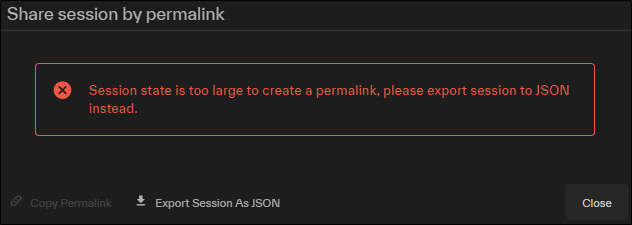
If the session is too large to create a permalink, you will be prompted to export the session.
-
Export Session as JSON Saves a JSON file to your local PC.
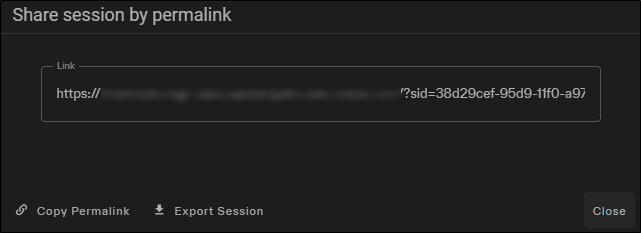
Sharing by permalink and exporting a session.
-
Importing a Session
You can import a saved session by importing the shared JSON file.
-
Select Imagery
. The Imagery panel opens. -
Draw areas, set filters, select images, and otherwise configure your Discover session however you like.
-
When you are ready to save your session, select Share by Permalink
, then select Import Session. -
In the dialog, do one of the following to select the file you want to import:
-
Drag and drop a file from your computer into the dotted area.
-
Select Select from Computer. In the dialog that opens, locate the JSON file you want to import, then select Open.
The file uploads.
-
More About Sharing Sessions
-
Permalinks do not save your shopping cart.
-
Permalinks support up to 100 AOIs and 50 images per AOI. Ordering of AOIs and names are preserved.
-
When sending to SFDC/RCA, no more than 10 AOIs can be sent due to memory limitations.